


How to Clean Sleep Earbuds: A Guide to Caring for Ear Tips, Sound Openings, and Charging Cases
A guide to cleaning sleep earbuds, removable ear tips, sound openings, and charging cases, with the tools you need, five cleaning steps, and answers to common care questions.
At a Glance
A guide to cleaning sleep earbuds, removable ear tips, sound openings, and charging cases, with the tools you need, five cleaning steps, and answers to common care questions.
1. Why You Should Clean Sleep Earbuds
Your sleep earbuds may stay with you from the time you fall asleep until the next morning. After hours of wear, earwax, sweat, and oils can collect on the ear tips and around the sound openings. Cleaning is part of everyday hygiene, and it also affects your nightly listening experience.
Hours of Continuous Wear Mean Paying Closer Attention to Earwax and Sweat
Unlike a short music session during your commute, sleep earbuds stay in contact with your ears for hours, and wearing them in your ears can also trap moisture. When you put them away, check for buildup around the ear tips and sound openings. Cleveland Clinic’s guidance on sleeping with headphones also discusses trapped moisture and earwax buildup.
Buildup and Moisture May Lead to Irritation and Outer Ear Canal Problems
Moisture in the ear canal, damaged skin, or earwax buildup can cause irritation or problems in the outer ear canal. The NHS guide to otitis externa lists itching, pain, discharge, and swelling among the symptoms. Cleaning is part of routine care, but it cannot guarantee protection against infection. If you experience these symptoms, stop wearing your earbuds and consult a healthcare professional.
Earwax Blocking the Sound Openings May Reduce Sound Quality
Earwax, oil, and dust around the mesh or sound openings can interfere with sound transmission, making audio sound muffled or less clear. Voices in bedtime podcasts or audiobooks may become harder to make out. With soft music or ASMR, instrumental details, quiet whispers, and subtle sounds may also lose clarity.
If the sound seems off, first check the sound openings for buildup and also check the audio source and fit. Do not rely on turning up the volume alone.
Weaker Sound May Affect Nighttime Sound Masking
If you use rain sounds or white noise to reduce disruptions from snoring or traffic, it is important for your earbuds to produce sound normally. Mayo Clinic’s recommendations for coping with snoring note that white noise or a fan may help mask snoring. Based on that principle, if a blockage reduces the actual sound output, the masking effect may also weaken at the same volume setting and level of background noise.
2. What You Need to Clean Sleep Earbuds: Essential Tools and Their Uses
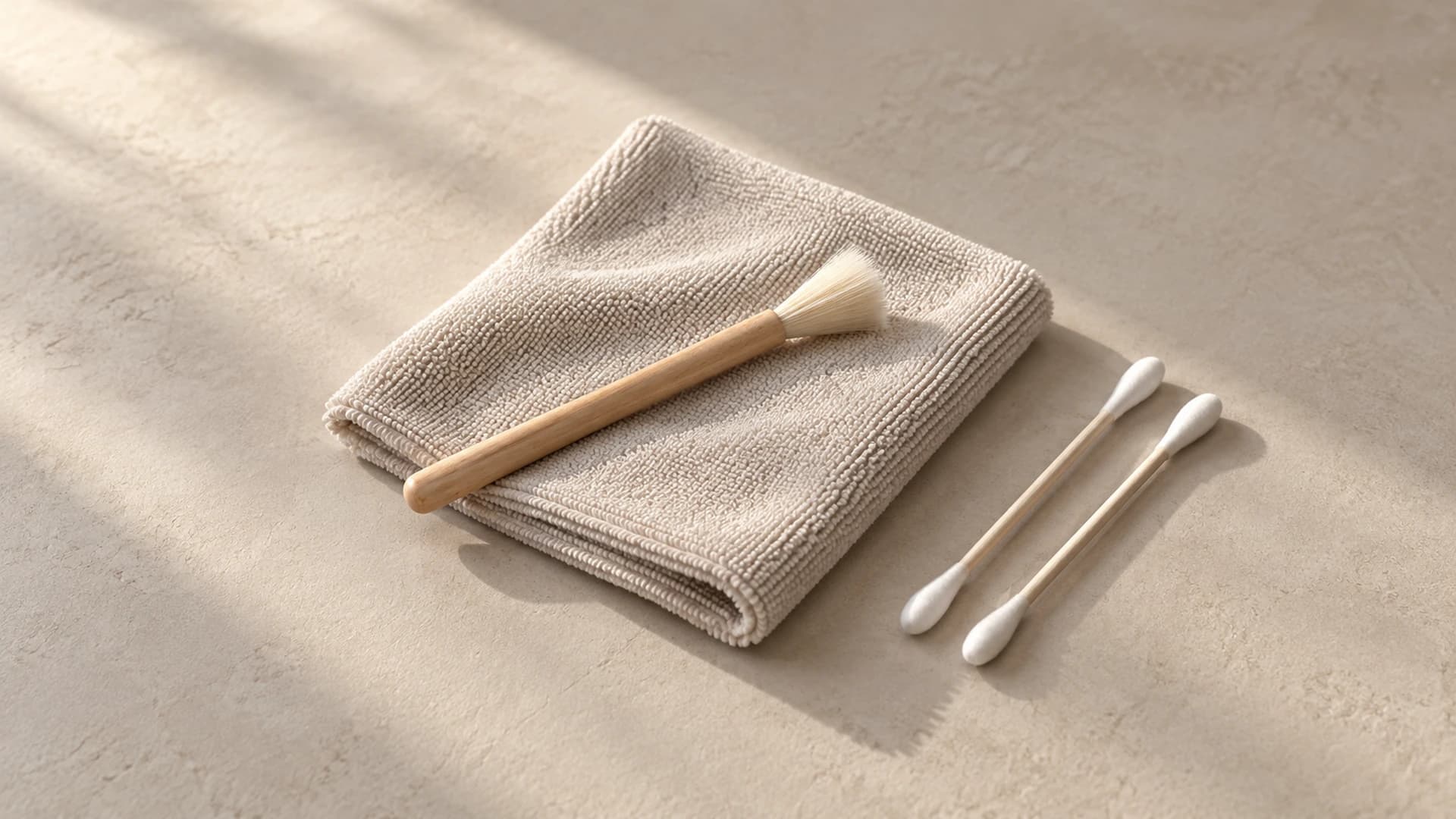
Before cleaning your sleep earbuds, prepare a clean, dry work surface and gather the simple tools below. Check the product’s care instructions before using any cleaning solution.
| Cleaning Tool | What It Is Used For |
|---|---|
| Microfiber cloth | Wipes sweat, skin oils, and dirt off the surfaces of the earbuds and charging case. |
| Soft-bristled brush | Gently removes loose dust and earwax from speaker mesh and small crevices. |
| Dry cotton swabs | Clean small recesses inside the charging case and exposed charging contacts. |
| 70% isopropyl alcohol wipes (optional) | Clean lingering stains from designated external surfaces. |
| Water and mild soap (optional) | Wash removable silicone ear tips separately. |
| Flashlight or phone magnifier (optional) | Help you inspect earwax and dirt around speaker mesh and charging contacts. |
| Small, clean tray (optional) | Keeps detached ear tips and small accessories together so they do not get lost. |
Note: Charging contacts are the small metal points where the earbuds and case touch. If the case has raised metal pins, dab them gently when cleaning rather than pushing them from side to side.
Do not insert cotton swabs or other tools into the USB charging port, as this could damage the metal contacts inside.
3. Five Steps to Cleaning Sleep Earbuds
Different brands and models of sleep earbuds may have different materials, water-resistance levels, and cleaning requirements. Before you start, check the official care guide to confirm which parts can be removed or washed and whether cleaning products are permitted.
Step 1: Disconnect Power and Remove the Ear Tips
First, take the earbuds out of the charging case, turn them off according to the product instructions, and unplug the case’s power cable.
If the ear tips are removable, gently take them off and place them in a small, clean tray so they do not get lost. If a tip is difficult to remove, do not pull it off by force, as this could damage the tip or earbud.
Step 2: Remove Dust and Earwax From the Sound Openings and Seams
Use a flashlight or your phone’s magnifier to carefully inspect the sound openings, edges of the mesh, and seams in the earbud shells for visible dust or earwax buildup.
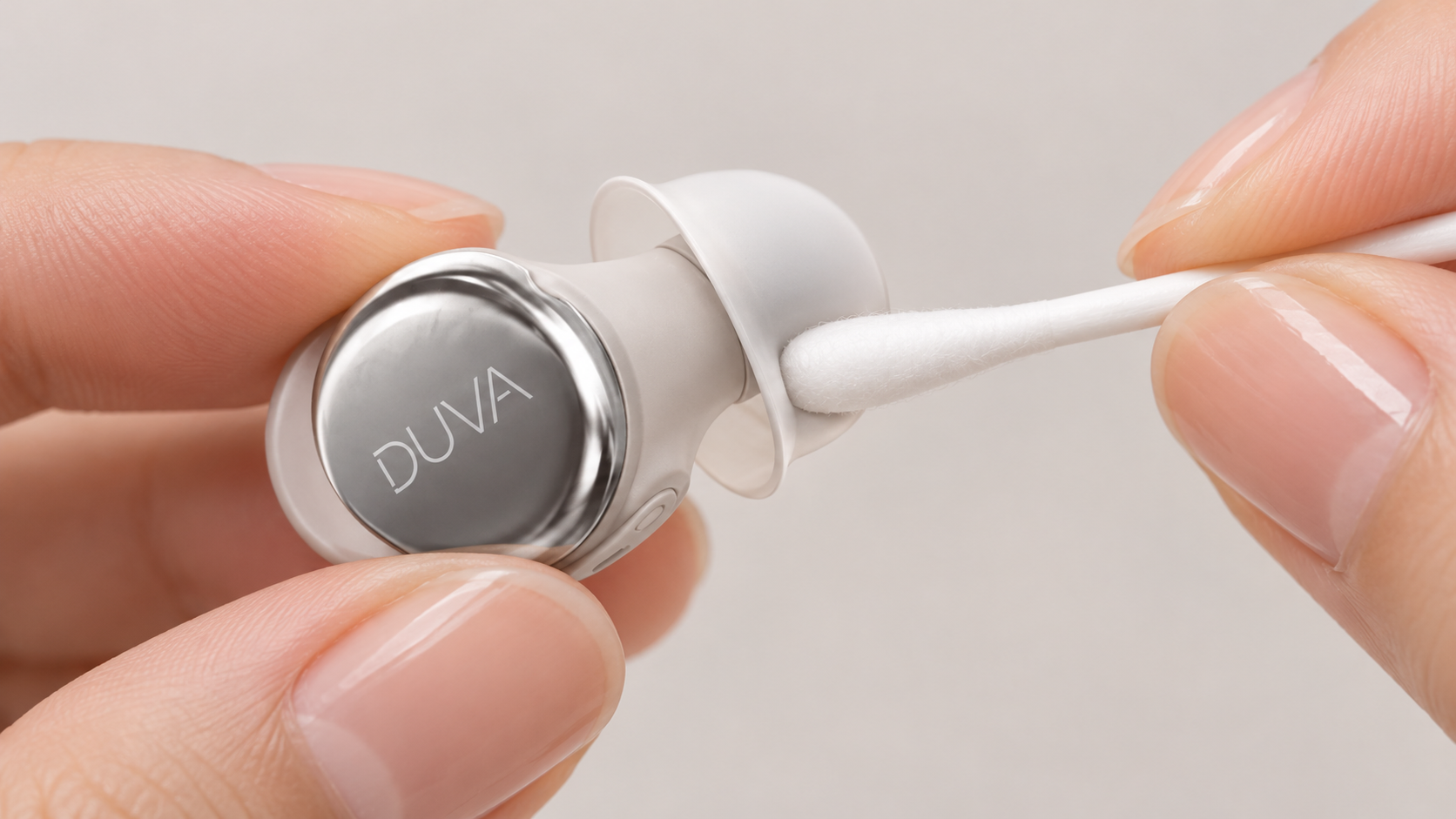
On areas the product instructions allow you to clean, use a dry, soft-bristled brush or cotton swab to gently remove surface debris. Move away from openings as much as possible to avoid pushing wax into the mesh.
Be especially careful about pressure near the sound openings. If stubborn wax is stuck to the mesh, do not try to force it off with a needle, toothpick, or another sharp tool.
Step 3: Clean the Ear Tips Separately
After removing the tips, use a clean, soft cloth to wipe away surface wax, sweat, and oils. Pay particular attention to the inside and base of each tip, where debris tends to collect.
If the ear tip material is washable, follow the product instructions and wash it with water and a suitable mild cleaner. Rinse away all cleaner residue, then let the tips air-dry in a well-ventilated area.
Keep in mind that foam and silicone tips may require different cleaning methods. If you use third-party replacement tips, follow the care instructions for those tips first.
Step 4: Wipe the Earbud Shells
Use a clean, soft microfiber cloth to gently wipe the earbud shells, removing sweat, skin oils, and dust that accumulate with everyday use.
For stains that are difficult to remove, first check whether the product instructions allow 70% isopropyl alcohol. If they do, follow those instructions and gently wipe the designated areas with a small amount of cleaning solution. If you need to dampen the cloth, make sure it is only slightly damp, not dripping, and keep liquid out of the earbud openings.
Unless the official instructions explicitly allow it, do not apply alcohol directly to the speaker mesh, ear tips, or charging contacts.
Step 5: Let Everything Dry Completely Before Reattaching the Tips
After cleaning, let all parts air-dry at room temperature in a well-ventilated area, following the drying time specified in the product instructions.
Once the ear tips are completely dry, put them back on the earbuds and check that they are securely attached.
Do not charge the earbuds or case while they are still damp. Before returning the earbuds to the case, also make sure the shells, tips, charging contacts, and inside of the case are all dry.
4. How to Clean an Earbud Charging Case
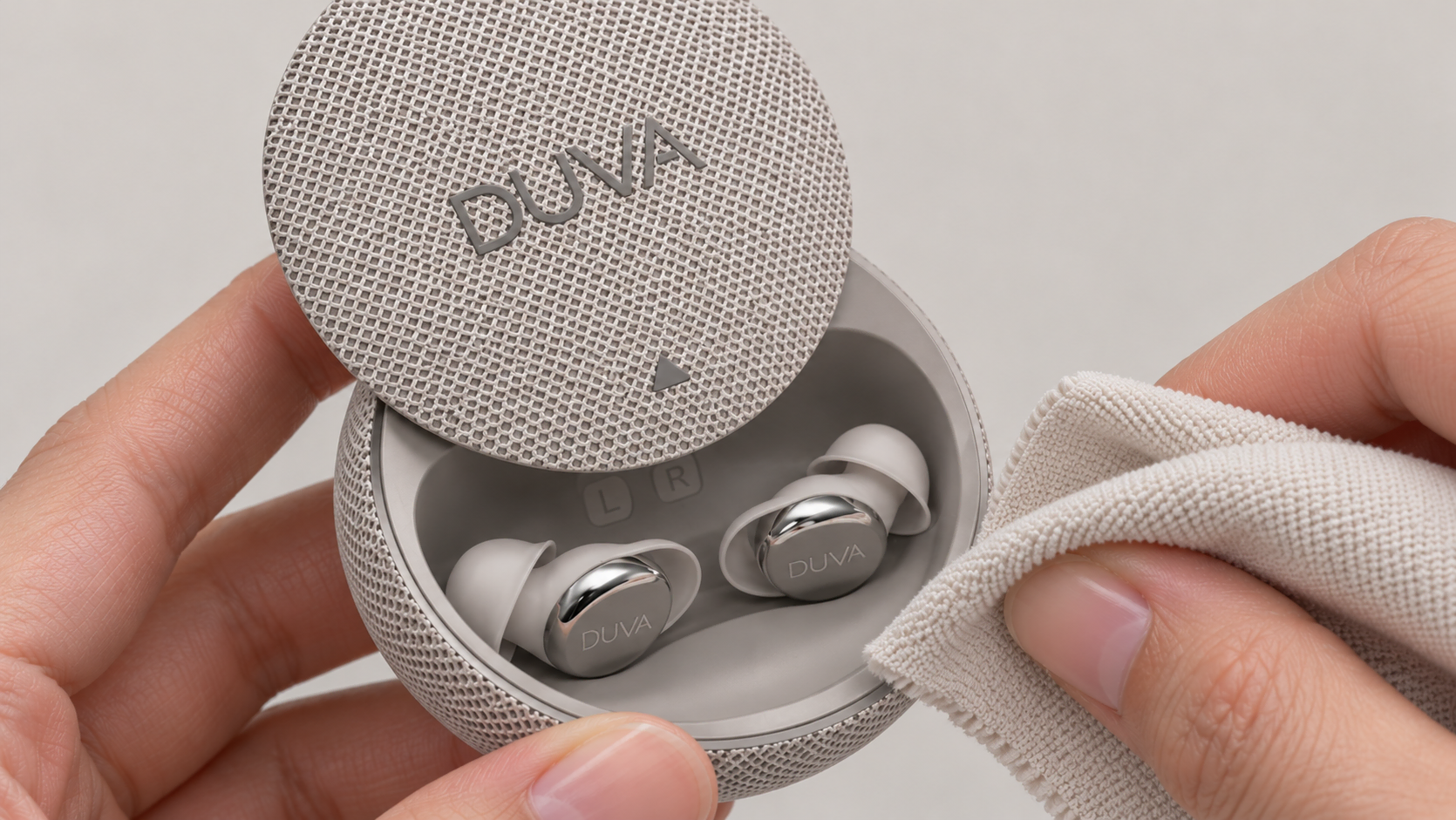
The charging case also needs regular cleaning because earwax, sweat, and dust on the earbuds can transfer into it during everyday storage.
Start by wiping the outside and inside of the case with a dry, soft cloth to remove visible dust and marks.
If the product instructions allow it, use a dry cotton swab to clean small recesses and metal charging contacts inside the case. Gently dab any raised metal charging pins, avoiding vigorous back-and-forth rubbing or sideways pressure.
After cleaning, make sure there is no remaining debris or moisture on the earbuds or charging areas before charging. Also check for visible dust around the charging port, but do not insert cotton swabs or other tools into it.
5. Frequently Asked Questions
How Often Should You Clean Sleep Earbuds?
Cleveland Clinic recommends cleaning earbuds at least once a week. When you put them away each day, you can also check for sweat, moisture, and visible earwax and deal with buildup as soon as you notice it.
What Signs Mean Your Sleep Earbuds Need Cleaning?
Check your earbuds if you see wax on the tips or sound openings, dust inside the case, sweat on the surfaces, or notice an odor. Muffled or quieter sound and inconsistent charging contact are also reasons to check for buildup. If the problem continues after cleaning, follow the product’s troubleshooting instructions or contact customer support.
Ear pain, discharge, or persistent changes in hearing may indicate an ear problem. Stop wearing your earbuds and consult a healthcare professional. The NHS guide to otitis externa lists related symptoms, and its earwax guidance also notes that an earwax blockage in the ear canal may be accompanied by hearing loss, ear pain, or tinnitus.
Why Shouldn’t You Clean the Mesh With Toothpicks, Needles, or Stiff Brushes?
The speaker mesh in earbuds is usually very thin, with delicate acoustic components directly behind it. That is why sharp or hard tools such as needles, toothpicks, and stiff brushes are not recommended. These tools can scratch, puncture, or crush the mesh, and they can also push wax deeper into the openings, causing blockages that make sound muffled or quieter. Damage to the speaker mesh or microphone openings may also affect sound quality, microphone pickup, and even ANC (active noise cancellation) performance.
Can You Use Tape to Remove Earwax From Earbuds?
No. Although household tape can lift surface dust and earwax, it also comes with risks. First, it may leave adhesive residue that blocks the speaker mesh, reducing volume or making sound muffled. Second, strong adhesive can pull on or damage the delicate mesh when the tape is removed. Pressing the tape down too firmly can also push wax deeper into the openings, making it harder to clean.
Can You Rinse Earbuds If They Have a Water-Resistance Rating?
No. A water-resistance rating describes how well earbuds resist water intrusion under specific conditions; it is not permission to rinse them directly, as explained in UL Solutions’ IP protection testing guidance. IPX4 primarily provides protection against everyday splashes, IPX5–IPX6 cover water jets of different intensities, and IPX7–IPX8 cover immersion conditions. Even if your earbuds have a higher rating, you should still follow the manufacturer’s cleaning instructions and avoid directly rinsing sound openings, microphone openings, and charging contacts. For everyday cleaning, a soft cleaning cloth is usually the safer choice.
Can You Clean Sleep Earbuds With 70% Isopropyl Alcohol?
It depends on the model and the part. Use this concentration only on the designated surfaces when the care instructions allow it. Permission to wipe the shell does not mean alcohol is also safe for the mesh, ear tips, or charging contacts.
For everyday loose dust and sweat, start with a dry microfiber cloth. UL Solutions’ guidance on cleaning electrical equipment also emphasizes using cleaning solutions according to equipment requirements, rather than spraying liquid inside or soaking equipment without approval.
Final Thoughts
Your sleep earbuds spend hours in your ears every night, so some buildup of earwax, sweat, and dirt is almost unavoidable. But keeping them clean doesn't have to be complicated. In fact, a few seconds of care after each use can make a bigger difference than waiting weeks or months for one deep cleaning session. Regular maintenance helps prevent buildup before it becomes a problem, keeping your earbuds comfortable and performing at their best.
Whether you're using DUVA ONE or another pair of sleep earbuds, taking care of them should be just as easy as using them. A little daily attention can go a long way toward keeping them clean, comfortable, and ready for another good night's sleep.